Computer Vision · LLMs · Automation
Multimodal AI in real business workflows: where it earns its place
Vision-language and audio models now read forms, photos, screenshots and calls directly. Where multimodal AI beats OCR-then-LLM, with examples, limits and cost.
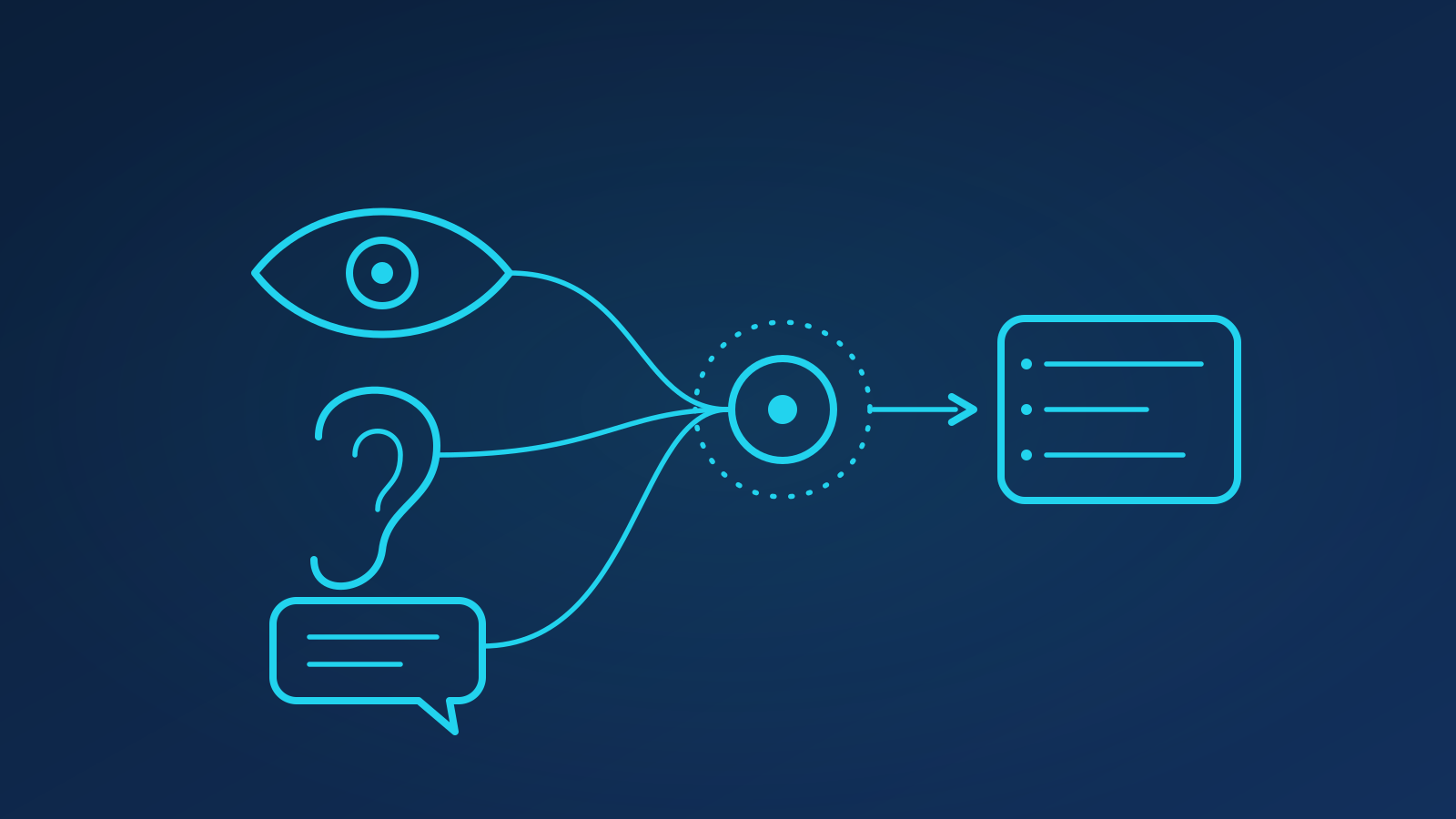
Multimodal AI earns its place in business workflows wherever the information you need lives in an image, a recording or a screen rather than in clean text: claims photos, shelf photos, scanned forms, meeting recordings, support screenshots. Modern vision-language models read those inputs directly and reason about them in one step, which beats the old OCR-then-LLM pipeline whenever layout, visual context or damaged text carries the meaning. It needs the same evaluation, guardrails and cost discipline as any other model, but for a growing set of tasks it is the shortest path from messy input to structured output.
TL;DR
- Vision-language models read forms, photos, screenshots and video frames directly; audio models transcribe and understand calls alongside text.
- Multimodal beats OCR-then-LLM when layout, handwriting, stamps, damage or visual context matter.
- Strong workflow fits: claims photos, retail shelf audits, meeting recordings, product listings, call quality assurance.
- Limits are real: fine detail, counting, small text and hallucinated specifics still need checks.
- Cost per image or minute is now modest; the expense is in evaluation and integration, not tokens.
What can multimodal models actually do today?
Three capabilities matter for operational work:
- Vision-language understanding. Give the model an image and a question and it answers in text or structured JSON: "Extract every field on this form", "Is the product in this photo damaged, and how?", "What error is shown in this screenshot?" Video is handled as sampled frames plus, in some models, the audio track.
- Audio understanding. Speech-to-text has been good for years; what is new is transcription plus reasoning in one pass (speaker roles, sentiment, compliance phrases, action items), with the transcript grounded to timestamps.
- Cross-modal grounding. The model can tie what it saw to what it heard or read: matching a spoken order to a photographed label, or a screenshot to a ticket description.
Our multimodal AI practice treats these as building blocks inside a workflow, not products in themselves.
When does multimodal beat OCR-then-LLM?
The classic pipeline (OCR the document, feed the text to a language model) still works well for clean, printed, single-column documents. It struggles when:
- Layout carries meaning. Tables, checkboxes, tick marks, multi-column forms and annotations lose structure in a flat OCR stream. A vision-language model sees the box next to the tick.
- Text is poor. Handwriting, faxes, photographed documents at an angle, stamps over text. OCR errors compound; a model that reads the pixels directly degrades more gracefully.
- The answer is not text. Damage assessment, product condition, whether a safety sign is present, what a UI is showing. There is nothing to OCR.
- You need one step, not three. Fewer components means fewer failure modes and less glue code.
OCR-then-LLM keeps the edge on very high volume, uniform documents where a specialised OCR engine is cheaper per page, and where you need character-level bounding boxes for downstream systems. Many of our computer vision deployments combine both: OCR for the bulk, a vision-language model for the exceptions.
Which workflows are a good fit?
Four patterns we see delivering value:
- Insurance claims photos. A customer uploads photos of a damaged bumper or a water-stained ceiling. The model classifies damage type and severity, checks the photos match the claim description, flags likely duplicates or stock images, and drafts the assessor's first note. Humans still decide, but from a summary rather than a folder of JPEGs.
- Retail shelf audits. Field reps photograph shelves. The model checks planogram compliance, spots out-of-stocks and misplaced price labels, and reads promotional signage. Results reach a dashboard the same day rather than after a week of manual review.
- Meeting and call recordings. Audio in, structured output out: decisions, owners, deadlines, risks, and a searchable transcript. In call centres, the same pipeline scores calls for compliance and tone across every call rather than the 2% a QA team can sample, a natural extension of the voice AI work we do.
- Product listings. From a handful of supplier photos and a spec sheet, generate a title, attributes and description, and flag mismatches between image and text, such as a wrong colour or a missing accessory. Marketplace teams use this to onboard catalogues in hours rather than weeks.
Modality vs use case: where does each fit?
| Modality | Typical inputs | Strong use cases | Watch out for |
|---|---|---|---|
| Image (documents) | Scanned forms, invoices, IDs | Field extraction, validation, classification | Tiny text, low resolution, dense tables |
| Image (scenes) | Claims photos, shelf photos, site photos | Damage assessment, compliance checks, counting | Exact counts, occlusion, lighting |
| Screenshots | App and web captures | Support triage, QA, process mining | Small UI text, similar-looking states |
| Video (frames) | CCTV, inspections, demos | Event detection, step verification | Frame sampling misses fast events |
| Audio + text | Calls, meetings, voice notes | QA scoring, summaries, intent, compliance | Crosstalk, accents, background noise |
What are the limits, and how do you evaluate?
Vision-language models are confident describers and unreliable counters. Common failures: misreading small or rotated text, miscounting past a handful of objects, inventing a plausible serial number, and being swayed by text inside the image ("APPROVED" stamped on a form). Audio models struggle with crosstalk and jargon.
The remedy is the same as for any model. Build an evaluation set from real inputs (a few hundred images or calls with verified answers) and score field-level accuracy, not just "looks right". Add cheap checks: confidence thresholds, cross-field validation, a second pass at higher resolution for critical fields, and human review for anything above a defined risk. Where the model must read exact identifiers, pair it with a traditional OCR or barcode read and reconcile. Our AI automation team designs these workflows so the model does the reading and the system does the trusting.
What does it cost?
Per-unit inference cost has fallen sharply: processing an image or a minute of audio with a hosted model now typically costs a fraction of a cent to a few cents, depending on resolution and model tier. For most workflows the token bill is small next to the value of a shortened review cycle. The real costs are elsewhere: assembling the evaluation set, integrating with the systems that hold the images and calls, and designing the human-review step. As an illustration, a claims workflow processing tens of thousands of photos a month may spend more on a week of integration engineering than on a year of model calls. Start with the workflow where review time is most obviously wasted.
Key takeaways
- Multimodal models read images, screenshots, video frames and audio directly and reason about them in one step.
- They beat OCR-then-LLM when layout, poor text quality or non-textual answers matter; keep OCR for uniform bulk.
- Claims photos, shelf audits, recordings and product listings are proven starting points.
- Evaluate on real inputs at field level, and add checks for counting, small text and invented identifiers.
- Inference is cheap; integration and evaluation are where the budget goes.
FAQ
Can a multimodal model replace our OCR system?
Usually it augments rather than replaces it. For clean, uniform, high-volume documents, a specialised OCR engine is cheaper per page and gives you character-level coordinates. A vision-language model wins on messy, varied or layout-heavy inputs and on questions OCR cannot answer at all. Most teams route the bulk through OCR and send exceptions and complex documents to the multimodal model, then compare results on shared fields.
How accurate is it on handwritten forms?
Materially better than classic OCR on legible handwriting, and still imperfect on cramped or cursive script. On a mixed set of handwritten forms, expect field-level accuracy that is good enough to draft and flag, not good enough to auto-approve without checks. Confidence scoring, cross-field validation and targeted human review for low-confidence fields close most of the gap in practice.
How do we get started without a large project?
Pick one workflow where people currently look at images or listen to recordings and type what they see. Collect a few hundred real examples with verified answers, run two or three candidate models over them, and measure. That takes weeks, not months. If you would like help scoping that first evaluation, contact us.

Written by
William Ali · Founder & AI Specialist
Leads strategy and solution design. Has shipped conversational AI, agent and analytics systems for clients across e-commerce, SaaS, healthcare and finance since founding AIYatch in 2019.
About the team →Related services


Ready to chart your AI course?
A free 30-minute consultation: we listen, ask hard questions and tell you honestly where AI will and won't help.